
Copies only what’s new
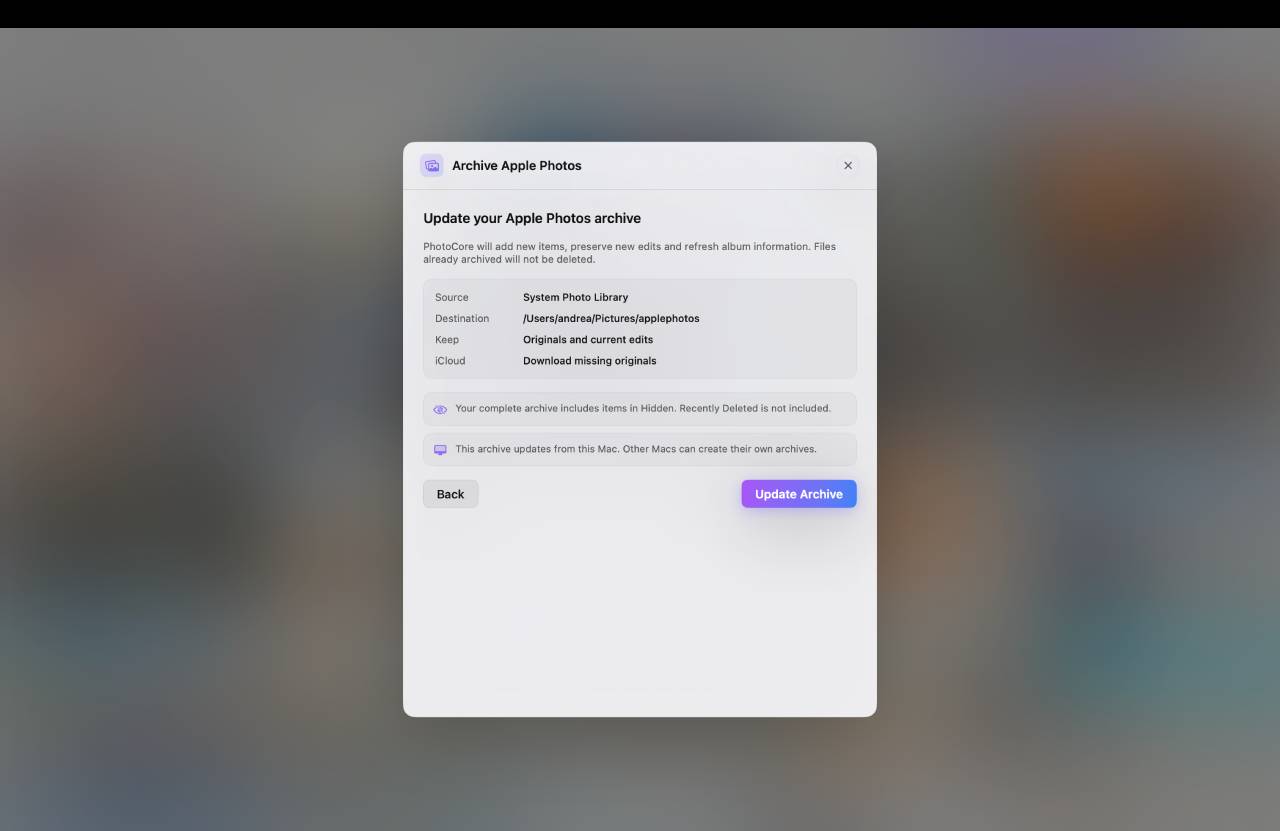
Later runs add only what’s missing: new photos, new edits, renamed albums. Never a full re-copy of the library, even months later.
Years of memories live inside Apple Photos, but they aren’t your files: they sit in a closed library, often only in iCloud, behind a monthly fee. Apple Photos Archive brings them out: it copies originals and current edits to a drive you choose, verifies every file by reading it back from disk, and keeps everything searchable with PhotoCore, even with the drive unplugged.
One decision to make: where to save. Everything else is sensible defaults, always-visible status and a final report you can read anywhere.
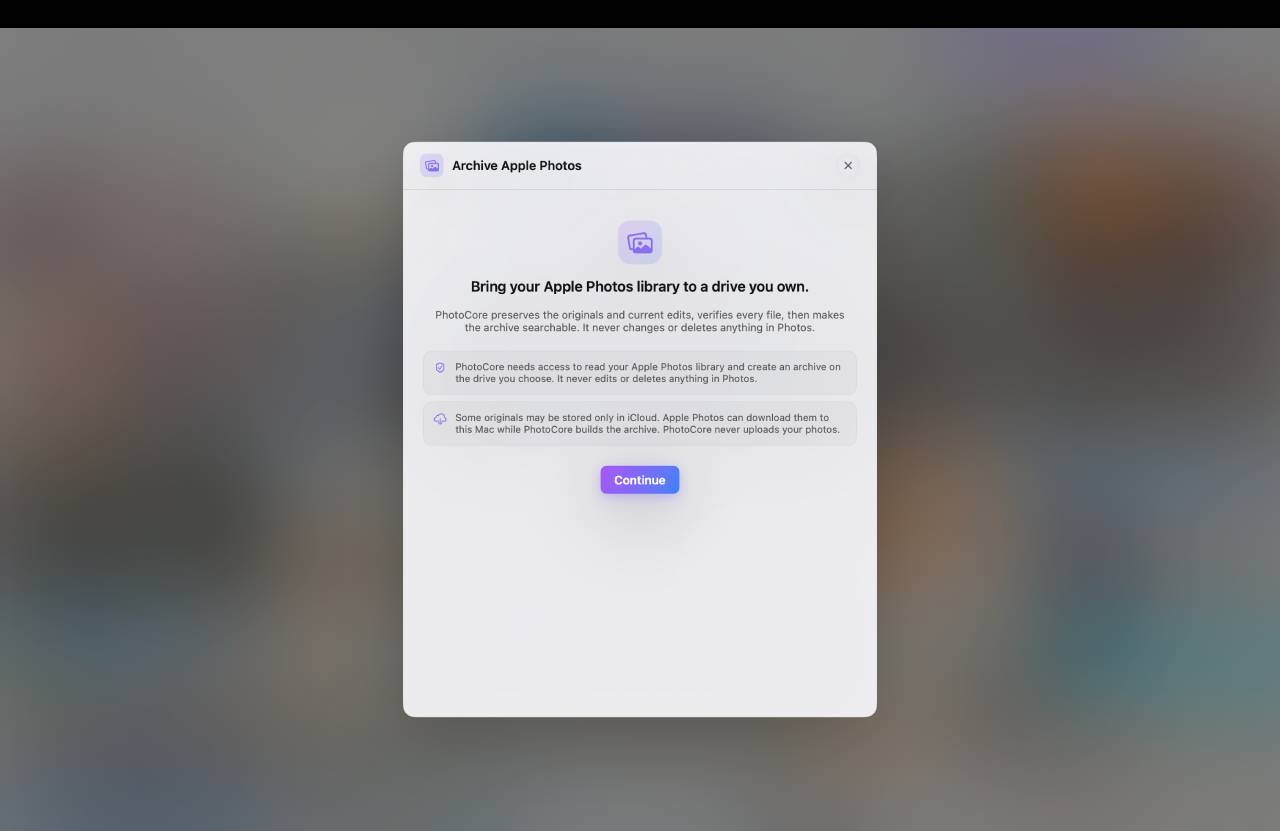
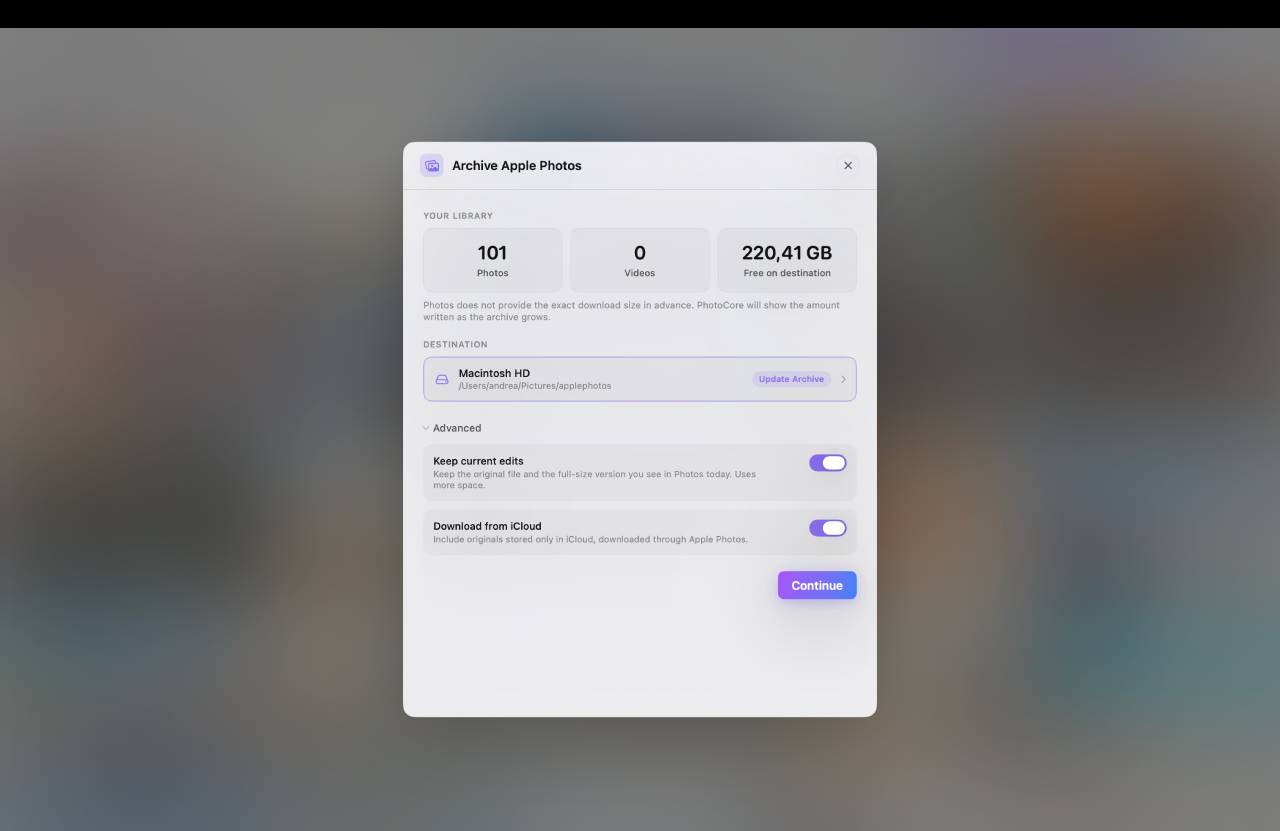
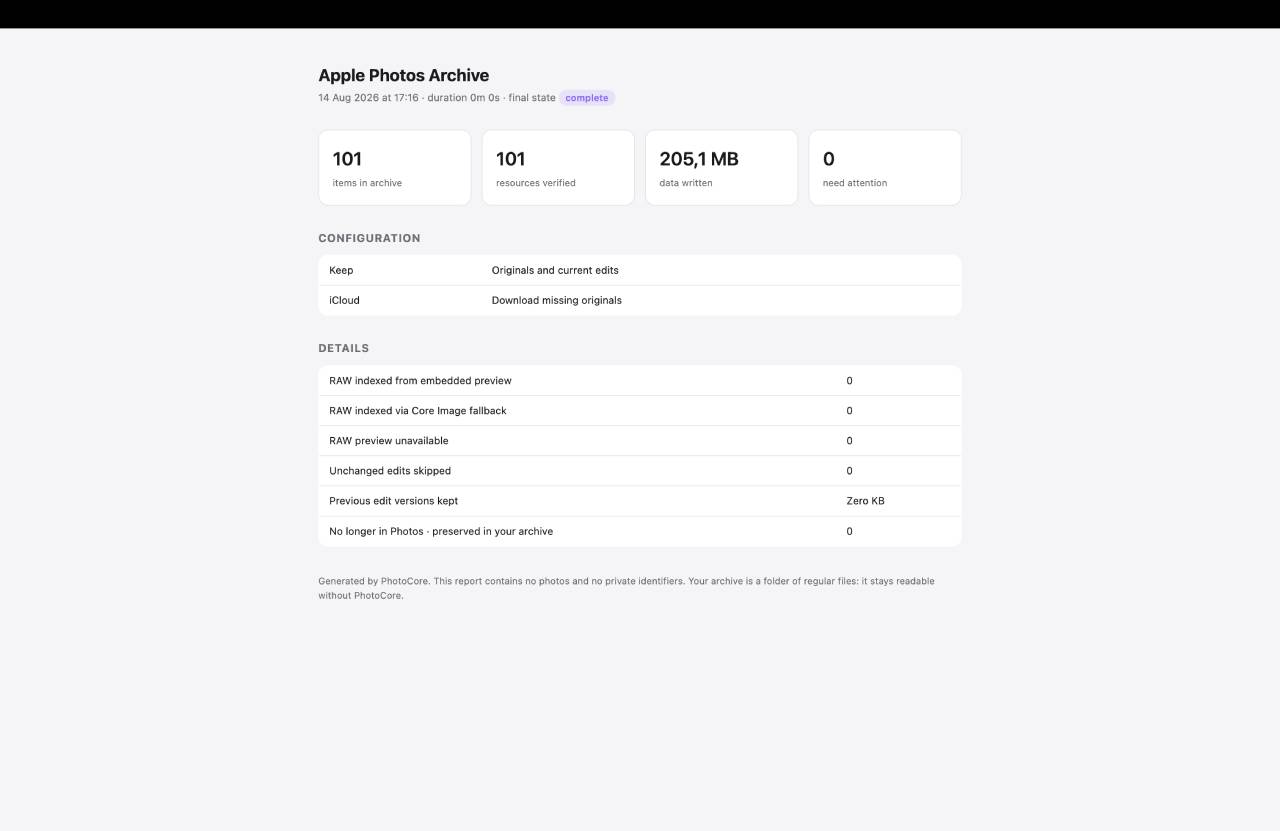
Apple Photos is convenient as long as you stay inside. Try to leave: the library is a sealed package, originals often live only in iCloud, and manual export leaves you with thousands of files without dates, without albums, and with no guarantee the copy is intact. So years of memories stay hostage to a storage meter and a monthly fee.
Apple Photos Archive is the orderly way out: a verified copy of your whole library, in folders by year and month, made of regular files that open in Finder, with or without PhotoCore. And because PhotoCore makes it, it stays searchable by meaning, even with the drive unplugged.
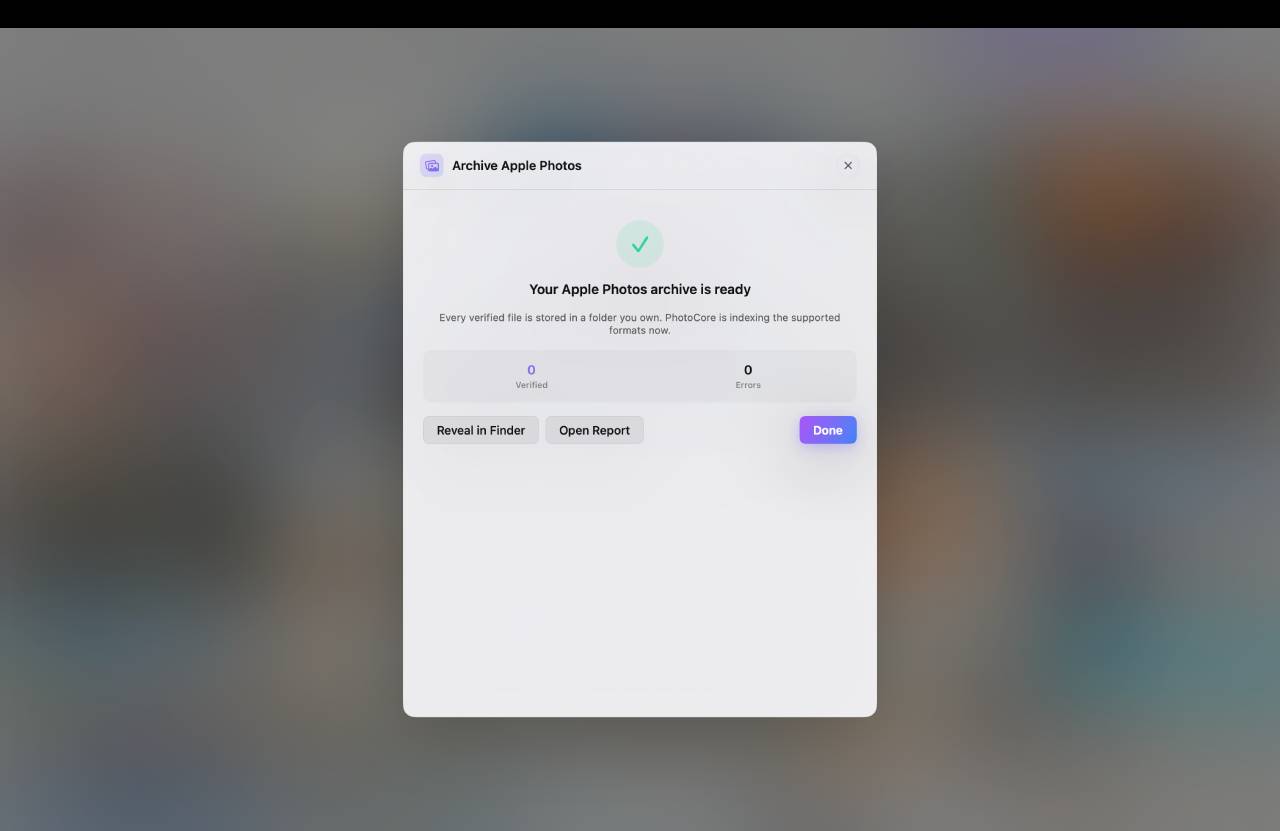
Every file is written to the destination and then read back from disk, byte for byte, against the fingerprint computed during the copy. When PhotoCore says ’verified’, the archived file is identical to the original: no blind copies, no surprises ten years from now.
The archive is folders by year and month, with readable names. Current edits sit next to the originals, albums become open metadata, and every run ends with an HTML report. Everything opens without PhotoCore: that’s the point.
Later runs add only what’s missing: new photos, new edits, renamed albums. Never a full re-copy of the library, even months later.
Deleting in Apple Photos never touches the archive: those shots stay, marked ’No longer in Photos · preserved in your archive’. Removing is only ever your own action.
When you retouch an already-archived photo, the new version updates the archive and the previous one is kept alongside. The space used by previous versions is always in the report.
Photos stored only in iCloud are downloaded through Apple Photos during archiving: when it’s done, you have a local copy that didn’t exist before. PhotoCore never uploads anything to the cloud: down only, never up.
If free space on the system disk drops below the threshold, iCloud downloads pause on their own while the rest of the run continues. And the destination is checked before starting: exFAT warning, FAT32 and network drives declined.
When the run ends, the archive joins your PhotoCore sources and gets indexed with no extra steps. It has its own row in the sources menu, with a status that’s always clear.
Put the archive on an SSD or a NAS and keep searching by meaning, with thumbnails, even while the drive sits in a drawer. Reconnect only for the originals.
CR2, CR3, NEF, ARW, RAF and DNG appear in the grid, in search and in Stories. The embedded preview is read without developing the file: fast even with thousands of shots.
Once the archive exists, Export albums as folders (in the source menu and in the archive summary) writes its albums as plain folders on a disk you choose: one folder per album, the folders you created in Photos as subfolders, a photo that sits in two albums in both. Inside each album, Originals and Current edits if you want them apart; photos outside any album in Unfiled. All albums, or only the ones you pick.
Every exported file is written, read back and checked against the fingerprint stored in the archive. On the same APFS disk the copy is instant and takes no extra space. Each export creates a new dated PhotoCore Albums folder: nothing in Photos, in the archive or in a previous export is touched. Unplug the disk or quit the app and the export pauses; from the source menu it resumes where it stopped.
Details in What’s new in 1.10.
Archive iPhone and Android photos to a drive you own, verified and searchable offline.
Keep finding your images when the drive or NAS is unplugged.
Index a drive once and search it even while it sits in a drawer.
Build a personal photo archive designed to last for decades.
Download PhotoCore for free and open Apple Photos Archive: see your library’s numbers right away, and what bringing it out really means. Full archiving is included in PhotoCore Full, a one-time purchase with no subscription whatsoever.