PhotoCore 1.14: your dog and your cat get a name
People becomes People & Pets. PhotoCore recognizes dogs and cats on your Mac, you give the animal a name in Quick Look, and its other photos come back together. The switch is separate from the one for faces and stays off until you turn it on. Semantic Bridge can now prefer the subjects that both ends of the bridge share.
Last updated: 4 November 2026 · PhotoCore 1.14
Dogs and cats, recognized on your Mac
Settings > General has a Pet recognition switch, under the one for faces and separate from it. You can have faces without pets, or pets without faces, and both stay off until you turn them on.
When you turn it on, PhotoCore analyzes the photos it has already indexed, starting with the folder you have open and continuing through the rest of the library in the background. New photos are analyzed while they are indexed. A dog held in someone's arms is found too.
Detection and matching run on the Apple silicon chip in your Mac, with no new model added to the download. Nothing about your animals is uploaded.
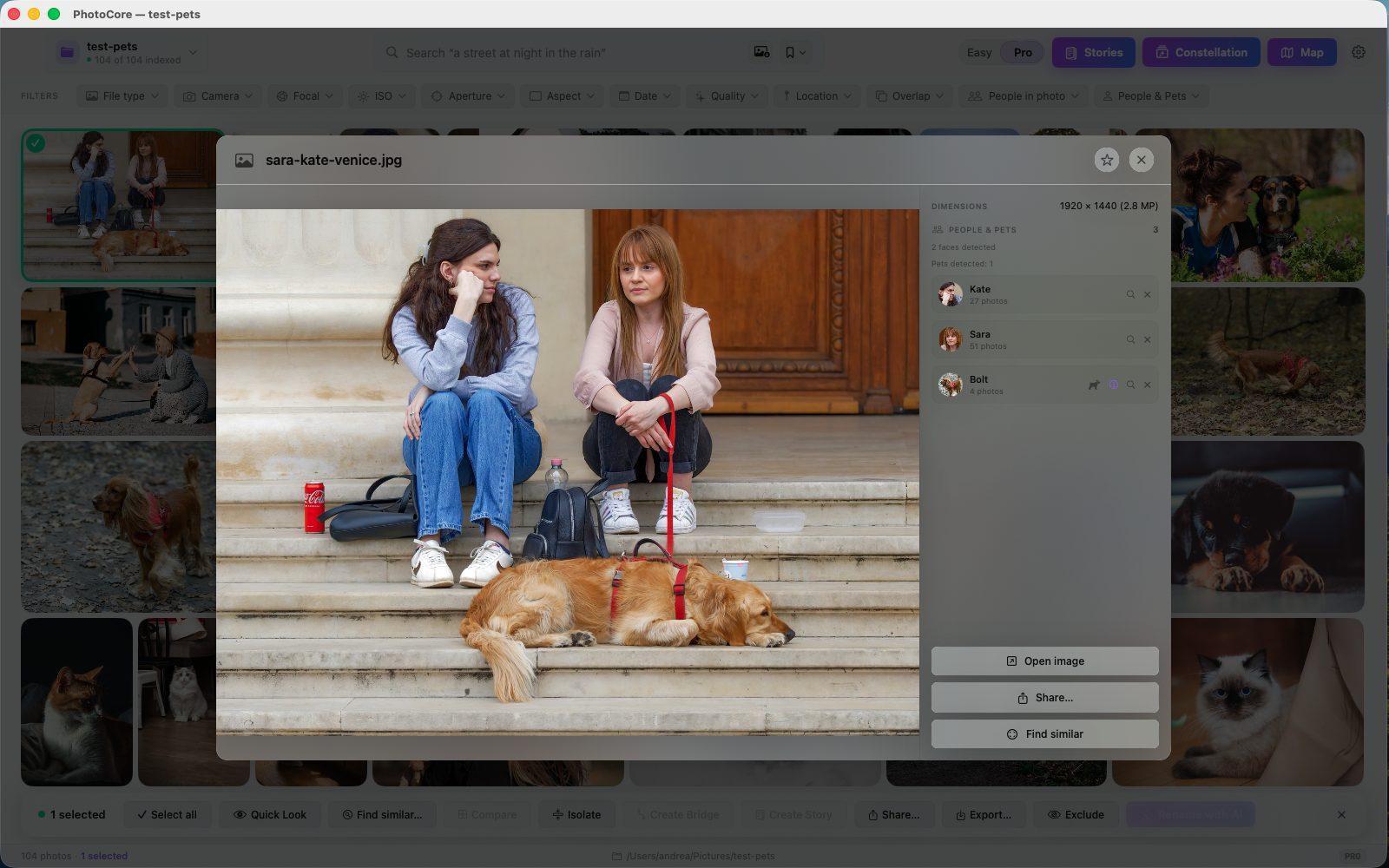
A name in Quick Look, then the samples
Open a photo in Quick Look. The People & Pets section shows the crop of the animal with a dog or cat icon and the row Name this pet. Type the name, press Return, and PhotoCore looks for the same animal in the other analyzed photos. Dogs are compared only with dogs, cats only with cats.
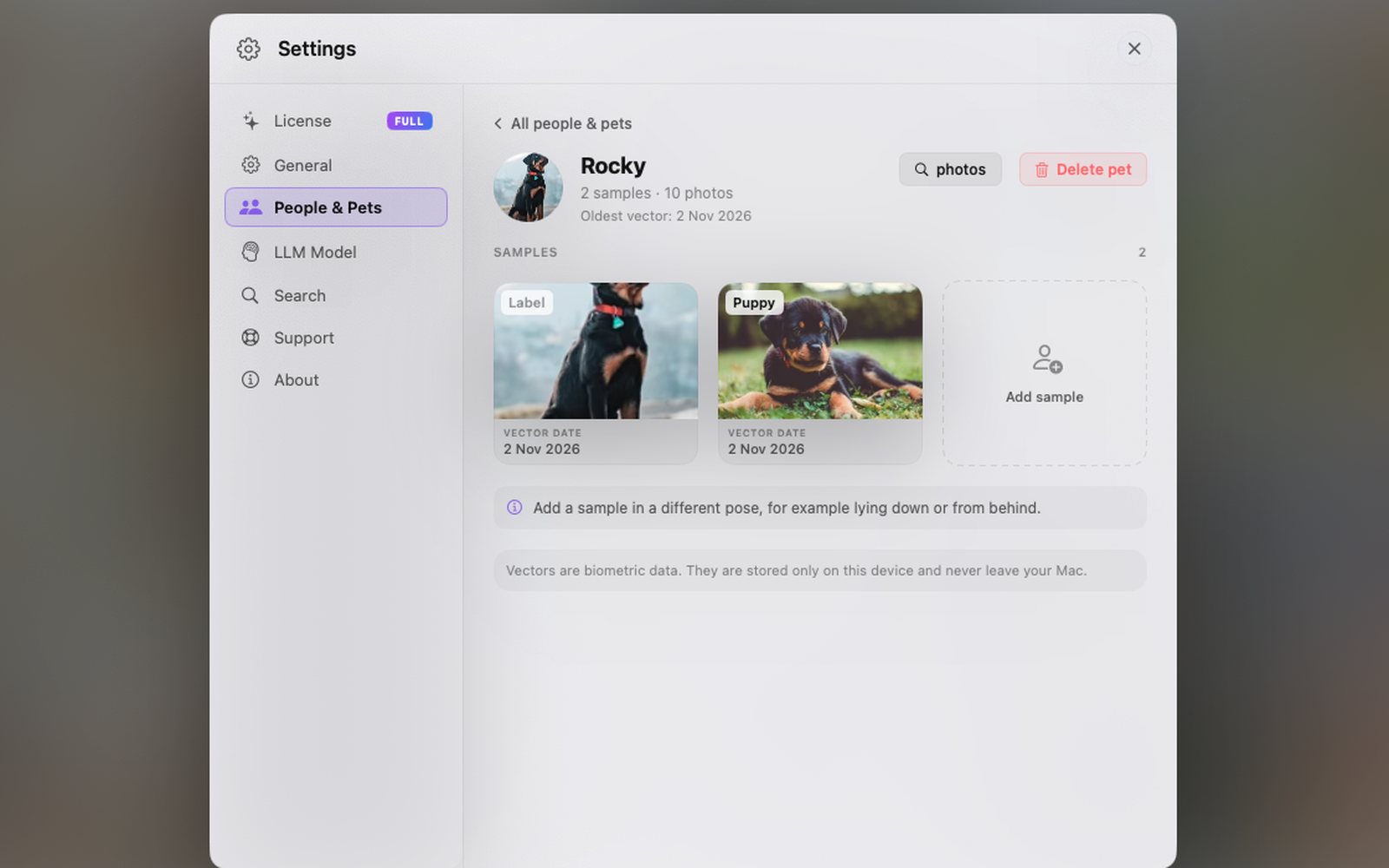
A dog lying on the sofa and the same dog running on the beach are two very different pictures for the app. Each animal is recognized from its samples, so add at least three in different poses. While a pet has fewer than three, its card says so.
In Settings > People & Pets, people and pets sit in separate sections. Delete pet offers the same two choices as people: delete and never recognize again, or delete only the vector.
Search by pet, and shared subjects in Semantic Bridge
In Pro mode the People & Pets filter lists the people first and then the pets, each with the icon of its species. In the search field type @ and the first letters of a name: @Anna @Bruno beach shows the photos where both of them appear.
Semantic Bridge gained a Shared subjects button. When both ends of the bridge have the same named people or pets, the intermediate photos where they appear are preferred. The weight is light, so the bridge keeps following the path between the two ideas. Faces and animals without a name do not count.
Also in 1.14
- Help has a new People & Pets section in all seven languages: how to turn recognition on, how to give a name, how to choose the samples, how to fix a mistake and how to delete a person or a pet.
- Face similarity in Settings > Search, in three levels: Standard, High and Very high. It sets how closely a face has to resemble a person's samples before it takes their name. Higher gives fewer photos per person and fewer faces of other people, useful when a person has only one or two samples. It applies right away to the faces already analyzed, and samples keep their name.
- Dogs and cats only, in photos. Videos are not analyzed for pets, and a very small animal in the frame is skipped.
- Two animals of the same breed and the same colour can end up under one name. More samples of each help, and the separation can stay partial.
- Crops, vectors and pet names stay in the PhotoCore database on your Mac. They are erased together with the face data: turn off both switches in Settings > General and choose to delete face and pet recognition data.
Questions about 1.14
Which animals does PhotoCore recognize?
Is pet recognition on by default?
How many samples does a pet need?
Does pet data leave the Mac?
Can PhotoCore tell apart two animals that look alike?
Try it with 200 photos, free
Download PhotoCore Light, index a folder with your dog or cat in it and give the animal a name. When you want the whole archive and every drive in one place, PhotoCore Full is a one-time purchase.